> For the complete documentation index, see [llms.txt](https://developers.fingerpush.com/appdog/llms.txt). Markdown versions of documentation pages are available by appending `.md` to page URLs; this page is available as [Markdown](https://developers.fingerpush.com/appdog/console/logs.md).
# 검증 로그
등록된 모든 앱의 검증 정책에 위반된 단말기의 데이터를 실시간으로 확인하고 관리할 수 있습니다.
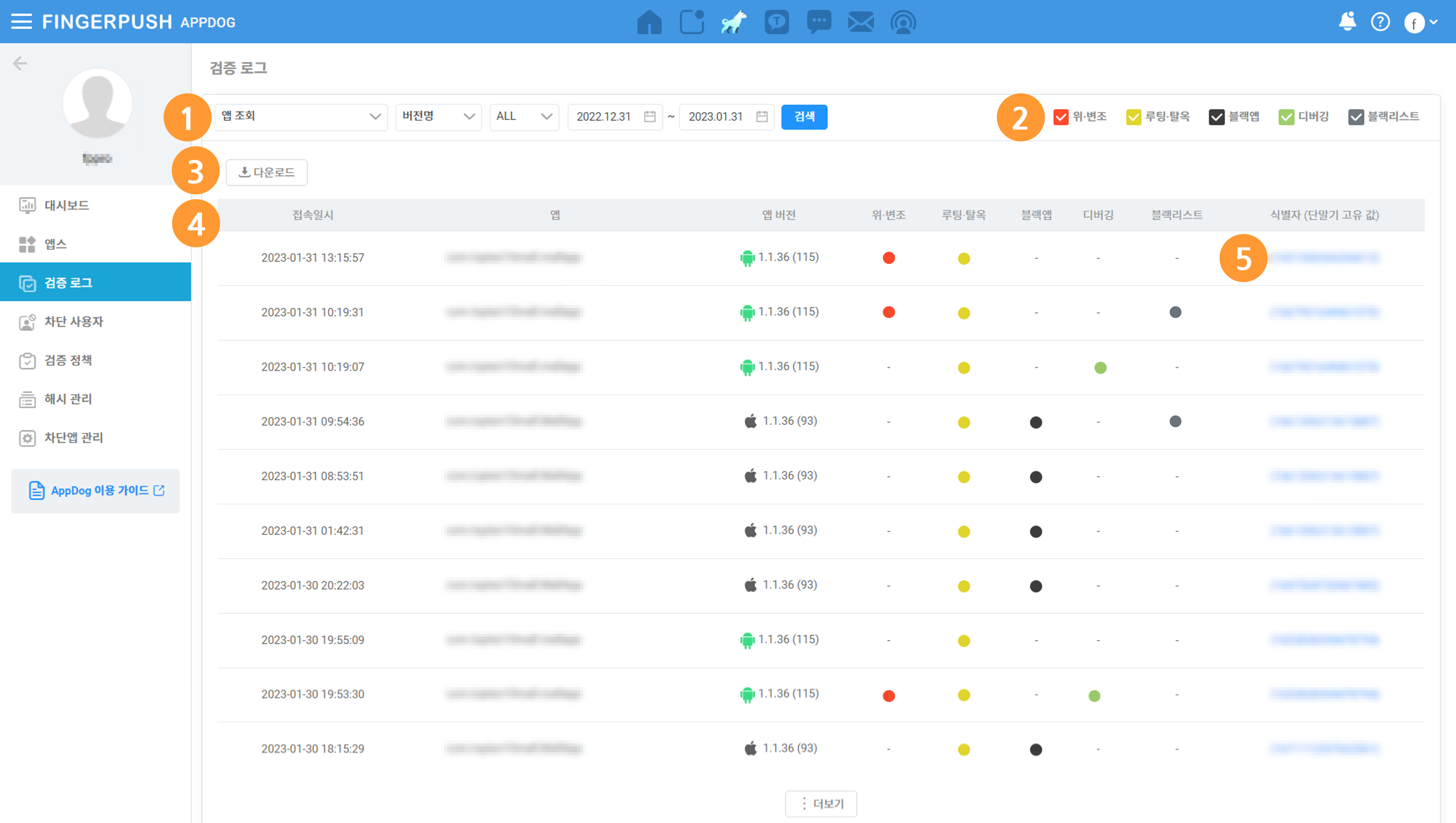
❶ 조회
* 앱 조회: 앱 목록에서 선택하여 조회할 수 있습니다.
* 버전명: 앱의 버전명으로 조회할 수 있습니다.
* OS: 앱의 OS(Android/iOS)를 구분하여 조회할 수 있습니다.
* 기간: 검증기간으로 조회할 수 있습니다.
❷ 보안 위협별 분류: 체크박스를 체크/해제하여 보안 위협을 선택 조회할 수 있습니다.
❸ 다운로드: 조회 결과를 엑셀 파일로 다운로드 할 수 있습니다.
❹ 조회 결과 접속일시/앱/앱 버전/탐지된 보안 위협/식별자를 확인할 수 있습니다.
❺ 식별자(단말기 고유 값): 클릭하여 앱에 설정된 검증 정책을 위반한 단말기의 정보를 확인할 수 있습니다.
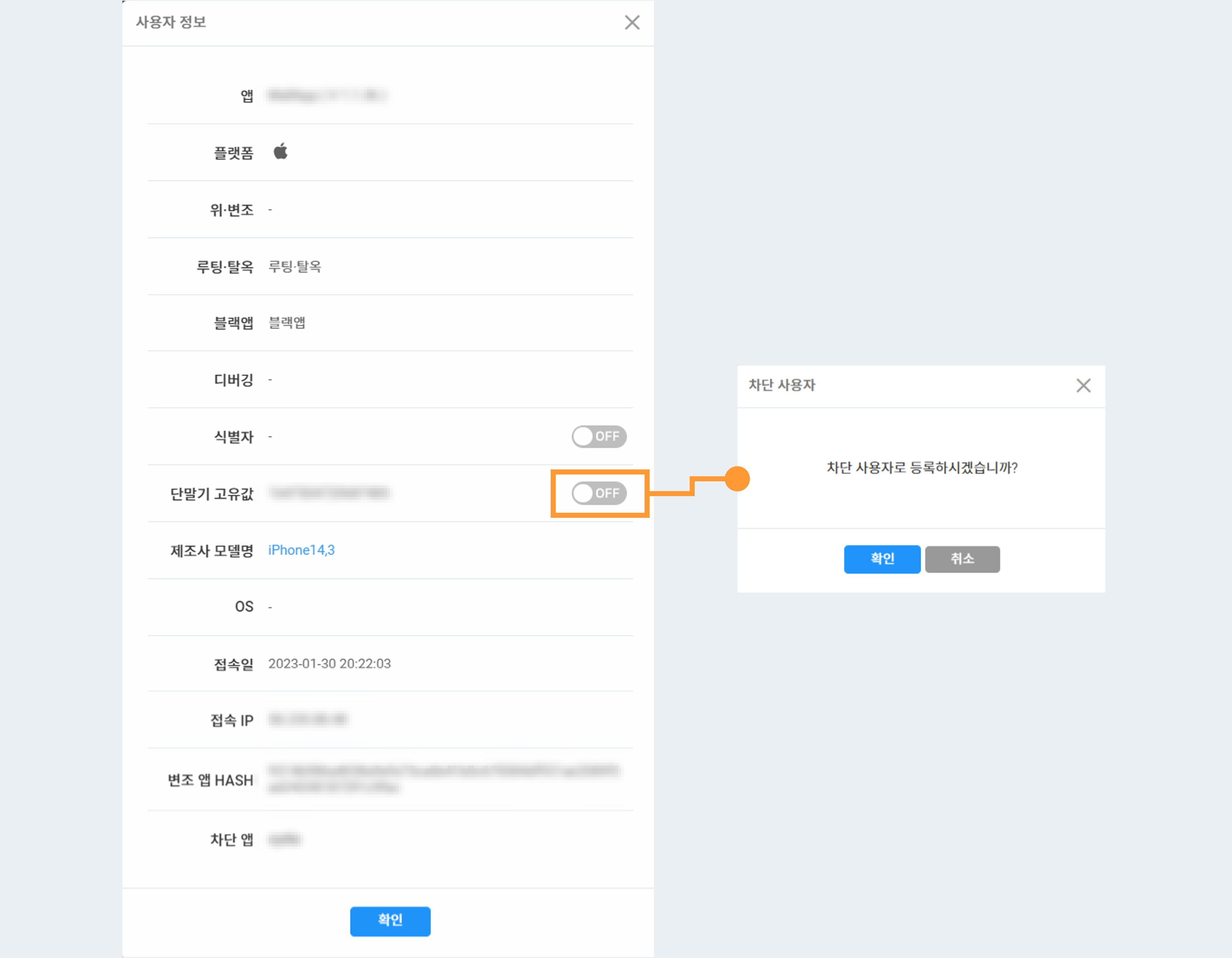
사용자 정보 팝업에서 해당 단말기를 차단할 수 있습니다. \
차단된 단말기는 ‘[차단 사용자](/appdog/console/user.md)’ 메뉴에서 확인할 수 있습니다.